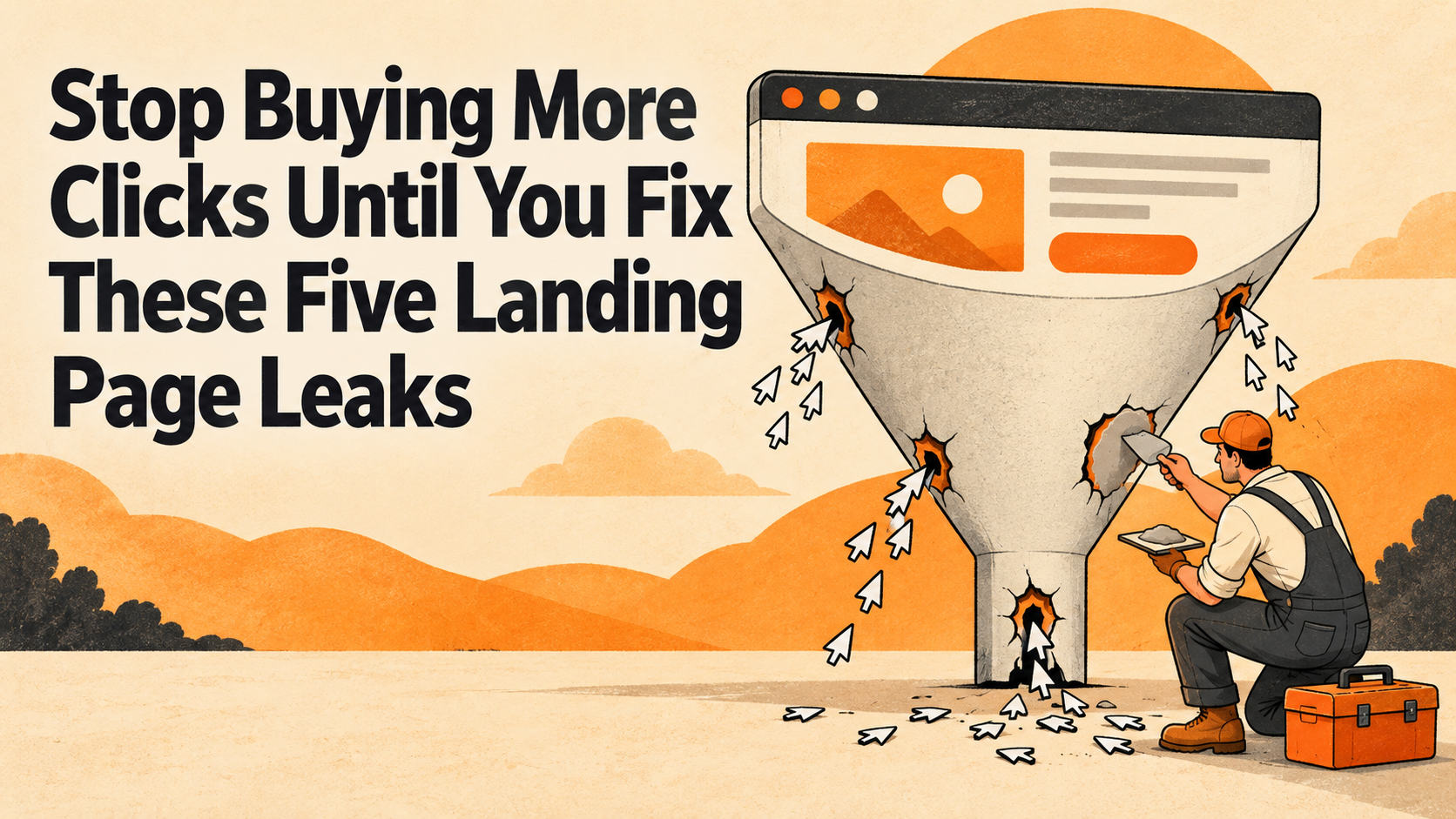
Before increasing your ad budget, check five landing page leaks: a page that breaks the ad’s promise, an offer nobody can explain, a slow or unstable mobile experience, competing calls to action, and a form that makes contacting you harder than it should be. Fix obvious failures first, then test improvements against qualified leads and sales. More traffic is useful when the destination can do its job.
A campaign can deliver exactly the right person to exactly the wrong experience. The keyword makes sense. The ad earns the click. Then the visitor meets a vague headline, a pop-up, and a form that appears to be applying for a mortgage.
That is a landing page problem worth investigating before buying another round of visitors. Here is a practical landing page optimization checklist for finding the leaks, deciding what to fix, and checking whether the work actually helped.
1. The landing page breaks the ad’s promise
Your ad creates an expectation. The destination needs to fulfill it immediately.
If the ad offers commercial HVAC maintenance, a homepage featuring residential installation makes the visitor restart the search. If it promises a consultation, the page should explain that consultation and make requesting it straightforward. A discount needs its offer and conditions clearly available.
Google Ads recommends aligning the landing page with the ad, keywords, and call to action. The practical lesson is to inspect the whole journey together, rather than reviewing the ad and website in separate meetings.
Check it: Put the search intent, ad, and landing page side by side. Can someone unfamiliar with the campaign identify the same service, audience, offer, and next step in each?
Fix it: Build or adapt pages around genuinely different customer needs. Use the visitor’s language in the headline and supporting copy. Keep the advertised offer visible. You do not need a near-duplicate page for every keyword; you need a relevant destination for each meaningfully different intent.
For example, an agency advertising paid search management for multi-location businesses should explain how that service handles multiple locations. A generic “We help brands grow” greeting leaves the important work to the visitor.
2. The offer is vague and the proof is missing
“Solutions that drive success” could describe your agency, your accountant, or a particularly optimistic coffee machine. It gives a buyer very little to evaluate.
A useful opening answers four questions: What do you provide? Who is it for? What problem does it address? What happens if I take the next step?
Then support the offer with evidence appropriate to the decision. That might mean a product demonstration, a specific project example, an explanation of your process, or a genuine customer testimonial used with permission. Make the evidence easy to connect to the service on the page.
Check it: Ask someone outside the project to explain the offer after briefly reviewing the opening. If they repeat your slogan but cannot describe the service, revise the copy.
Fix it: Replace broad claims with useful details. Explain what a consultation covers, what a quote requires, or what an engagement includes. When publishing results, include enough context to understand the timeframe, baseline, and limitations. Never imply that one customer’s outcome is a promise to everyone.
Trust also depends on ordinary facts: a recognizable business identity, working contact details, relevant policies, and clear offer terms. Put important qualifications near the claim. A tiny disclaimer at the bottom should not be doing the heavy lifting for the headline.
3. The mobile experience fights the visitor
A page can look beautiful in a desktop presentation and feel exhausting on a phone. Large media can delay the main content. Scripts can make buttons unresponsive. Late-loading elements can move the very thing someone is trying to tap.
Google’s Core Web Vitals guidance gives three useful reference points: Largest Contentful Paint of 2.5 seconds or less for loading, Interaction to Next Paint of 200 milliseconds or less for responsiveness, and Cumulative Layout Shift of 0.1 or less for visual stability. Assess these at the 75th percentile of visits, with mobile and desktop considered separately.
These are experience targets, not promised conversion rates. A fast page can still make a bad offer.
Check it: Open the actual campaign destination on a phone. Read the headline, dismiss any overlay, tap the main action, and complete the form. Review real-user performance data where available, alongside diagnostic tests. A single laboratory score cannot describe every customer’s experience.
Fix it: Investigate oversized images, unnecessary scripts, delayed server responses, and elements without reserved space. Check that sticky banners and chat widgets do not cover buttons or form fields. Ask your developer to address the measured bottleneck instead of deleting things at random.
Keep the visual personality. Lose the obstacle course.
4. Every button asks for something different
Request a quote. Download a guide. Subscribe. Watch a webinar. Follow us. Book a demo. Contact sales.
Any of those actions might be useful. Giving them equal prominence on one campaign landing page makes the visitor decide which journey you intended.
Check it: Identify the campaign’s primary conversion. Is the main button easy to find, and does its wording describe what actually happens next? Follow every repeated version of that button. They should lead to the expected destination.
Fix it: Give one primary action clear visual priority. Repeat it where it makes sense as the page develops. Keep necessary navigation, contact options, privacy information, and supporting content available without letting them compete for the same attention.
Match the request to buyer readiness. Someone comparing a complicated service may need process details or a case study before booking a conversation. A returning shopper may simply need the product and checkout. Treat those as testable decisions about the audience.
Use accurate button copy such as “Request a project quote” when that is what the form does. “Get started” is less useful when it conceals whether the next screen is a purchase, a calendar, or a sales inquiry. Do not promise an instant quote if a person must prepare it later.
5. The form makes a willing customer give up
The visitor is interested. Now the form requests information nobody needs yet, hides its labels, rejects a phone number without explanation, or submits successfully without saying so.
W3C’s forms guidance recommends keeping forms simple and asking only for information needed for the process. It also addresses labels, instructions, validation, and feedback. Accessibility belongs in the conversion conversation because customers need to understand and operate the page.
Check it: Submit the form on mobile and using a keyboard. Deliberately leave a required field blank and enter an invalid email format. Can you understand the error, correct it, and keep the information you already entered? Verify that a successful submission reaches the correct team or system.
Fix it: Give fields persistent, properly associated labels. Identify required fields and explain unfamiliar requests. Provide specific error messages and a clear success confirmation. State the next step and give a response timeframe only if your team can reliably meet it.
Shorter is not automatically better. A qualification question may save both sides time. Keep fields with a clear business purpose; reconsider fields collected merely because the form builder offered them.
Check the measurement before declaring victory
A healthier page should help the business, not just produce a more flattering dashboard.
Define the outcome before making changes: completed purchases, qualified inquiries, or booked appointments that actually happen. Verify that tracking records successful actions rather than merely button clicks. Where appropriate and permitted, connect lead records to later qualification and sales outcomes.
Record a baseline and compare like with like. Device mix, campaign targeting, seasonality, and changes to the offer can all affect results. When traffic supports a meaningful controlled test, use one. With limited traffic, fix clear defects and describe the remaining uncertainty instead of awarding yourself a statistically questionable trophy.
Google describes Quality Score as a diagnostic tool, not a key performance indicator. Use landing page experience signals to investigate opportunities, while judging commercial success through the outcomes that matter to your business.
Your before-you-buy-more-clicks checklist
- The landing page fulfills the specific promise made in the ad.
- The offer, audience, proof, and next step are easy to understand.
- The page and its main action work comfortably on mobile.
- One primary action has clear priority.
- The form works, explains errors, confirms success, and delivers the inquiry.
- Measurement distinguishes interest from qualified business outcomes.
Frequently asked questions
Should I stop all advertising while fixing a landing page?
Not automatically. A broken form or unavailable offer may justify pausing the affected traffic. Smaller improvements can often be tested while campaigns continue. Consider the severity, business risk, and available alternatives.
Does every ad need a separate landing page?
No. Group ads with the same intent and offer when one page serves them well. Create a different destination when the audience, service, or promised next step meaningfully changes.
What is a good landing page conversion rate?
There is no universal target. A purchase and an unqualified form submission have different value. Compare your own relevant baseline, acquisition costs, lead quality, and sales outcomes before borrowing an industry benchmark.
Will better Core Web Vitals guarantee more leads?
No. They measure aspects of user experience. Improving performance can remove friction, but demand, targeting, price, credibility, and the offer still affect results.
Which landing page leak should we fix first?
Start with failures that prevent action, such as broken forms or unusable mobile controls. Next address a clear mismatch between the ad and page. Prioritize other changes by evidence, likely impact, and implementation effort.
Make the destination earn the next click
You do not need to redesign the entire website to begin. Pick an important paid-traffic page, walk through these checks, and fix the clearest problems. Then measure what changes.
Digital Cheddar brings paid search strategy and website development into the same conversation. Ready to find out where your landing page is losing people? Let’s talk about the campaign, the destination, and what a worthwhile conversion actually looks like.